
- Introduction to Insta360 and Its Revolutionary Technology
- Why Choose Insta360 for Travel Adventures
- Key Features That Make Insta360 Perfect for Action Shots
- How to Set Up Your Insta360 for the First Time
- Tips for Capturing Stunning Travel Footage with Insta360
- Mastering Action Shots with Insta360
- Editing and Sharing Your Insta360 Creations
- Choosing the Right Insta360 Model for Your Travels
- Accessories to Enhance Your Insta360 Experience
- Common Mistakes to Avoid When Using Insta360
- Conclusion: Make Every Moment Count with Insta360
Introduction to Insta360 and Its Revolutionary Technology
In today’s fast-paced digital era, content creators, travelers, and adventurers demand tools that can keep up with their vision. Insta360 has become the go-to name for anyone wanting to capture immersive experiences in stunning 360° detail. Whether you are scaling mountains, diving deep into oceans, or strolling through urban landscapes, insta360 delivers cinematic-quality visuals that bring your adventures to life. This guide will walk you through everything you need to know about using Insta360 for travel and action shots, ensuring you get the most out of your creative journey.
Why Choose Insta360 for Travel Adventures
Insta360 cameras are built to redefine how we see the world. For travelers, Insta360 offers compact, durable, and waterproof designs that make them ideal for on-the-go filming. With features like FlowState stabilization and AI-powered editing, Insta360 ensures every clip is smooth, stable, and ready for sharing instantly. Unlike traditional cameras, Insta360 captures every angle, so you never have to worry about missing the perfect shot again.
Key Features That Make Insta360 Perfect for Action Shots
When it comes to action photography and videography, Insta360 stands out with its cutting-edge technology. Its 360° lens captures everything around you, letting you reframe your footage afterward. The Insta360 app allows you to control your camera remotely, apply effects, and export professional-level videos right from your phone. Features like invisible selfie stick, AI tracking, and cinematic slow-motion take your content to the next level. With Insta360, every adventure becomes a masterpiece waiting to be shared.
How to Set Up Your Insta360 for the First Time
Setting up your Insta360 is quick and simple. Begin by downloading the Insta360 app from your app store. Pair your camera using Bluetooth or Wi-Fi. Once connected, you can adjust settings, view live previews, and even start recording remotely. Make sure your Insta360 firmware is up to date to access the latest features. Charge your device fully and use high-speed microSD cards for the best recording performance.
Tips for Capturing Stunning Travel Footage with Insta360
When shooting travel videos, Insta360 makes storytelling effortless. Use the invisible selfie stick for clean, drone-like shots without any visible equipment. Experiment with different mounting options — helmets, bikes, or even vehicles — to create dynamic perspectives. The Insta360 app’s Auto Frame feature uses AI to identify the most exciting parts of your footage and frame them perfectly. Combine TimeShift, hyperlapse, and cinematic transitions to make your travel videos more engaging. With Insta360, every destination can look like a professional film set.
Mastering Action Shots with Insta360
For action enthusiasts, Insta360 is your ultimate creative companion. Whether snowboarding, surfing, or mountain biking, Insta360 ensures your shots are crystal clear and ultra-stable. Use FlowState stabilization to eliminate shake, even during intense movement. The camera’s rugged build makes it perfect for extreme environments. Insta360 also allows for slow-motion replays, freeze frames, and panoramic views that capture every thrilling moment from multiple angles. To elevate your content, use the AI Shot Lab in the Insta360 app to add motion effects like clone trails and freeze transitions.
Editing and Sharing Your Insta360 Creations
One of the best things about Insta360 is its intuitive editing software. The Insta360 Studio and mobile app give you full control over reframing, trimming, and color correction. You can export in various formats, including traditional 16:9 or cinematic 21:9. Share directly to Instagram, TikTok, or YouTube without needing additional software. Insta360’s AI-powered editing tools help you create captivating content in minutes, even if you’re not a professional editor.
Choosing the Right Insta360 Model for Your Travels
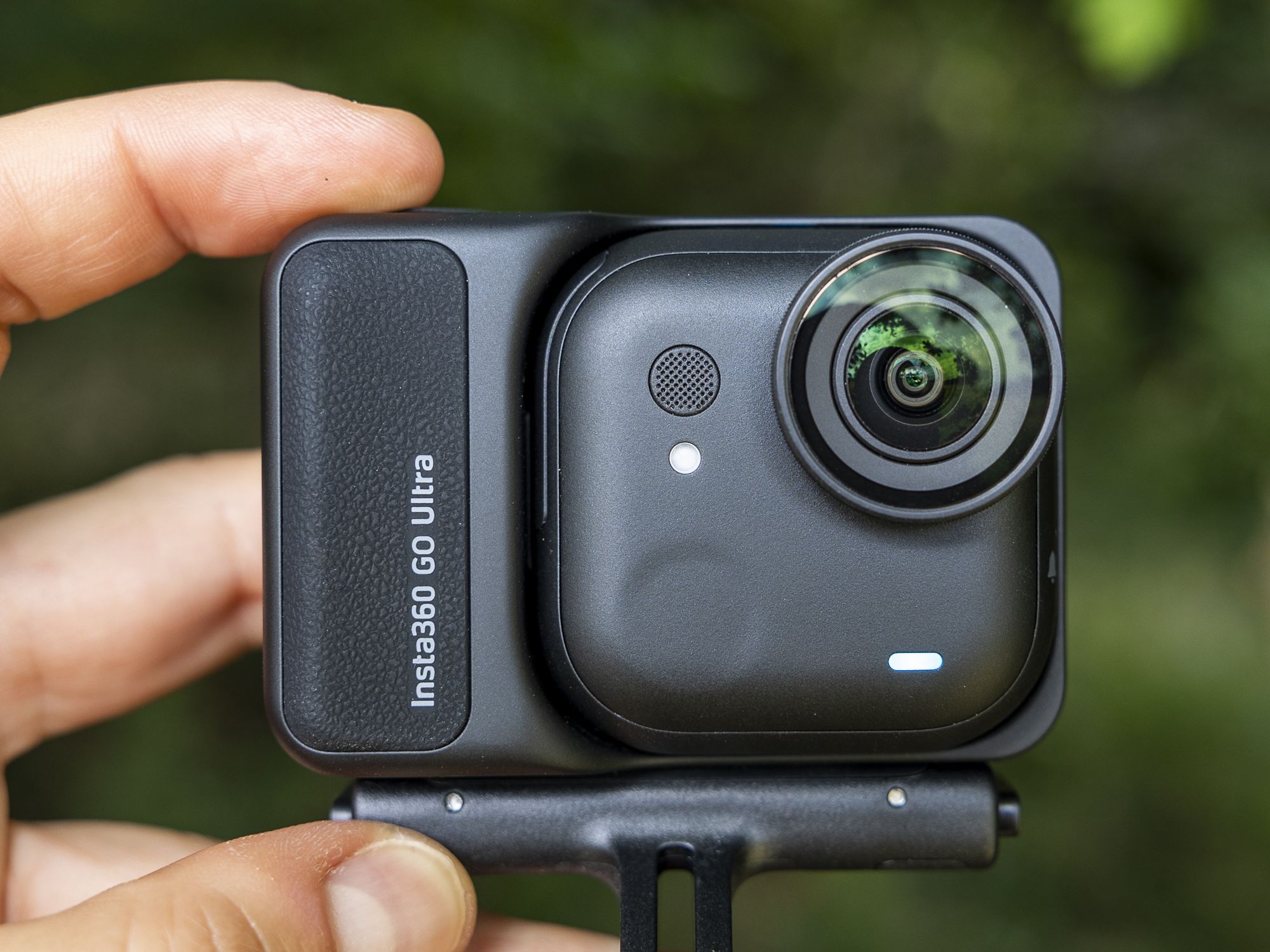
Insta360 offers several models suited for different needs. The Insta360 X4 is perfect for creators who want high-resolution 8K 360° footage. The Insta360 GO 3 is lightweight and great for hands-free recording. For professionals, the Insta360 ONE RS offers modular flexibility, combining 4K and 360° lenses. Whichever model you choose, Insta360 guarantees exceptional image quality, durability, and creative freedom.
Accessories to Enhance Your Insta360 Experience
To maximize your shooting potential, Insta360 offers a range of accessories. The invisible selfie stick, bullet-time handle, and dive case expand what your Insta360 can do. Use mounting kits for bikes, helmets, or cars to capture unique angles. For travelers, portable chargers and protective cases are essential. These accessories ensure your Insta360 stays ready for action wherever your adventures take you.
Common Mistakes to Avoid When Using Insta360
Even with advanced tools, it’s easy to make simple mistakes. Avoid overexposure by adjusting the camera’s ISO and shutter settings. Ensure your Insta360 lens is clean and free from fingerprints or water droplets. When editing, don’t overuse filters that reduce natural color tones. Always back up your footage to prevent accidental loss. By using your Insta360 carefully, you’ll maintain the highest quality and longevity of your device.
Conclusion: Make Every Moment Count with Insta360
In conclusion, Insta360 empowers travelers and action enthusiasts to capture the world like never before. Its innovative 360° technology, intelligent software, and durable design make it the ultimate tool for storytelling on the go. Whether you’re a beginner or a seasoned creator, Insta360 simplifies filmmaking while enhancing creativity. From mountain peaks to city streets, every moment deserves to be relived in immersive detail. Choose Insta360 and turn every journey into a cinematic adventure that truly captures your world from every angle.