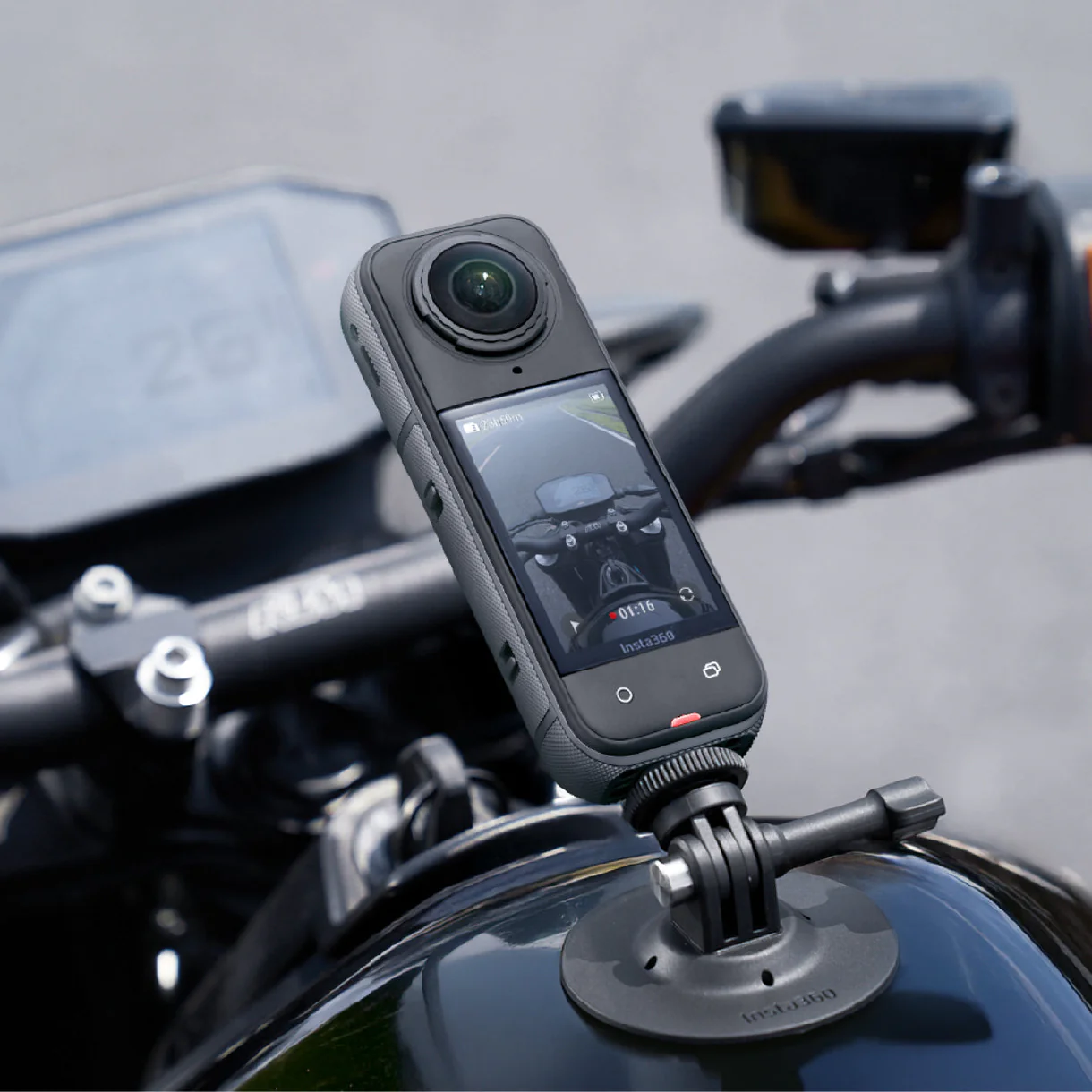
Introduction to the Insta 360 x5
The world of photography has undergone a massive transformation with the advent of 360-degree cameras, and the Insta 360 x5 is at the forefront of this exciting technology. Offering unmatched versatility and stunning image quality, the Insta 360 x5 is designed for everyone, from casual photographers to professional creators. This article will delve deep into its features, setup, capturing techniques, editing options, and sharing strategies to help you maximize your experience with this innovative device.
Overview of Features
The Insta 360 x5 packs a wealth of features that make it stand out in the crowded market of 360-degree cameras. It boasts dual-lens design, capable of shooting 5.7K video and 360-degree photos at high resolution. Its unique FlowState stabilization technology ensures smooth footage even in dynamic scenarios, making it an ideal choice for action enthusiasts. Furthermore, the camera supports time-lapse and HDR photography, enhancing your creative options.
Key Specifications
- Camera Type: 360-degree dual-lens camera
- Video Resolution: 5.7K at 30 fps
- Photo Resolution: Up to 18MP
- Stabilization: FlowState stabilization
- Battery: 1200mAh
- Connectivity: Wi-Fi, Bluetooth
- Storage: MicroSD (up to 1TB)
- App Support: Compatible with the Insta360 app for editing and sharing
Target Audience and Use Cases
The Insta 360 x5 appeals to a broad audience. Adventurers and travelers love the immersive capabilities it offers, allowing them to capture their experiences in detail. Content creators and marketers utilize its features to produce engaging promotional materials. Additionally, real estate agents and architects find value in its ability to create virtual tours that provide potential clients with a genuine feel of a space.
Setting Up Your Insta 360 x5
Getting started with the Insta 360 x5 is a straightforward process, but there are a few essentials to ensure you set yourself up for success. Proper setup involves charging your device, understanding the accessories available, and making initial configurations for your shooting style.
Charging and Maintenance Tips
Before you start using your Insta 360 x5, it is essential to charge the battery fully, which typically takes about 90 minutes. Ensure you use the original charger to prevent any damage. Regularly check for software updates in the Insta 360 app as these updates may improve performance and introduce new features. For maintenance, clean the lenses with a microfiber cloth to avoid smudges and ensure clear images.
Choosing the Right Accessories
Selecting the right accessories can enhance your Insta 360 x5 experience significantly. Tripods and monopods are excellent for stable shots, especially for time-lapses or panoramas. Additional battery packs can extend your shooting time, while protective cases are crucial for outdoor adventures. Consider gimbals for ultra-smooth videos, especially in action scenarios.
Initial Settings and Customizations
Upon powering your Insta 360 x5 for the first time, take a moment to familiarize yourself with the settings. Configure the default resolution, frame rate, and stabilization level according to the environment. Engaging the "Auto HDR" setting can improve your photos' dynamic range, especially in challenging lighting situations. Making these adjustments will ensure you capture high-quality visuals right from the start.
Capturing Stunning Visuals
Once your Insta 360 x5 is set up, it’s time to dive into the art of capturing striking visuals. This section will provide some key techniques and insider tips to help you make the most of your 360-degree photography experience.
Composition Techniques for 360° Photography
When composing a shot in 360° photography, consider your surroundings and the elements you wish to include. Utilize the "invisible selfie stick" method to make your equipment disappear from the frame, allowing for a seamless and immersive capture. Plan your shots with foreground elements that add depth and interest. Remember to keep moving; a stagnant camera can miss out on dynamic compositions.
Lighting Strategies for Different Environments
Your shooting environment significantly influences the outcome of your images. For bright outdoor conditions, consider using ND filters to prevent overexposure and maintain the integrity of the sky and clouds. In low-light scenarios, enhance your setup with external lights or practice shooting longer exposures. Taking into account the direction and quality of light will help you create visually appealing images.
Using Unique Angles and Perspectives
One of the primary advantages of owning a 360-degree camera like the Insta 360 x5 is the ability to explore unique angles and perspectives. Try shooting from elevated positions or the ground to capture photos that might not be possible with traditional cameras. Experiment with different vantage points during action shots to convey motion and excitement. Combining these techniques can significantly enrich your visual storytelling.
Editing Your 360° Content
After capturing your content, the editing phase is crucial in bringing your creative vision to life. The Insta 360 x5 works seamlessly with dedicated software and mobile applications designed specifically for it.
Software Options for Editing
The primary tool for editing your 360° footage is the Insta360 app, available for both iOS and Android devices. The app simplifies tasks such as stitching, color correction, and clip trimming. For more advanced editing, consider software options like Adobe Premiere Pro and Final Cut Pro, which support 360-degree video editing. Each choice has its advantages, so explore what works best for you.
Basic Editing Techniques
When beginning to edit your content, start with foundational adjustments—trimming unnecessary sections, adjusting color balance, and enhancing stabilization if needed. The Insta360 app provides straightforward tools for these tasks. Furthermore, you can experiment with preset filters for a unique look or speed adjustments for time-lapse effects.
Advanced Effects and Enhancements
Building on the basics, you can integrate advanced effects to wow your audience. Techniques like "tiny planet view" and "hyperlapse" can add significant flair to your final product. Utilize motion tracking for dynamic elements, allowing specific subjects to move while the background remains static. Play around with sound overlays and background music to heighten emotional engagement with your visuals.
Sharing and Promoting Your Work
The final phase of your 360° project is sharing it with the world. With an array of platforms designed for this type of content, sharing your work is easier than ever.
Best Platforms for 360° Content
Several platforms have emerged as leaders for sharing 360° content, such as Facebook and YouTube, which provide options for users to navigate through immersive videos. Additionally, specialized platforms like VeeR VR and Kuula cater specifically to virtual reality enthusiasts and provide exposure to a targeted audience. Researching your audience demographics can help identify the best platform for your content.
Engaging Your Audience through Storytelling
Even with stunning visuals, connecting with your audience through storytelling is paramount. Consider creating a narrative that guides viewers through your experience. This can be done by narrating your journey or providing titles and captions for key moments. This approach increases the chances of engagement and helps your audience feel included in your shared adventure.
Analyzing Engagement and Feedback
Once your content is live, monitor its performance and audience feedback through analytics provided by the sharing platform. Look for engagement metrics such as views, likes, shares, and comments. This data can inform your future content strategies, allowing you to discover what resonates with your audience and modify your approach accordingly.
FAQs about Insta 360 x5
1. What is the battery life of the Insta 360 x5?
The battery life of the Insta 360 x5 typically lasts for about 60 to 80 minutes of continuous usage, depending on settings.
2. Can I use the Insta 360 x5 for live streaming?
Yes, the Insta 360 x5 can be used for live streaming when you connect it to compatible streaming platforms via its mobile app.
3. What storage options are compatible with the Insta 360 x5?
The Insta 360 x5 is compatible with microSD cards up to 1TB, giving you ample storage for high-resolution content.
4. How do I clean the lenses of my Insta 360 x5?
Use a microfiber cloth to gently wipe the lenses of the Insta 360 x5, taking care to avoid any scratches that could affect image quality.
5. Is there a smartphone app for the Insta 360 x5?
Yes, the Insta 360 app is available for both iOS and Android, providing tools for editing and sharing your 360° content efficiently.