Understanding the Image Square Maker
In an age where visual content reigns supreme, transforming images into perfect squares has become an essential skill for many creators. Whether you’re a social media manager, a photographer, or a digital artist, having the ability to make your images square is crucial. The image square maker simplifies this process, enabling users to convert a range of image sizes into a uniform square format effortlessly. This article will delve deep into the functionality of image square makers, their significance in digital media, and how to use them effectively.
What is an Image Square Maker?
An image square maker is an online tool designed to convert rectangular or any non-square images into a perfect square format. This transformation is particularly useful for various applications, including social media profiles, blog posts, and other online platforms where square images are preferred due to their uniformity and visual appeal. The key features of these tools typically include the ability to crop, resize, and adjust images while maintaining their quality.
The Importance of Square Images in Digital Media
Square images are becoming increasingly relevant in digital marketing and social media, primarily because platforms like Instagram and Facebook favor this format. A square layout offers a cohesive aesthetic that can enhance brand identity and engagement. By presenting images in a standardized format, businesses can ensure their content looks professional and is more likely to attract viewer attention. Furthermore, many devices display photos more effectively when they adhere to square dimensions, minimizing cropping issues that can detract from the visual message.
Common Features of Top Image Square Makers
When selecting an image square maker, it's essential to consider several features that facilitate ease of use and quality output. Look for tools that offer:
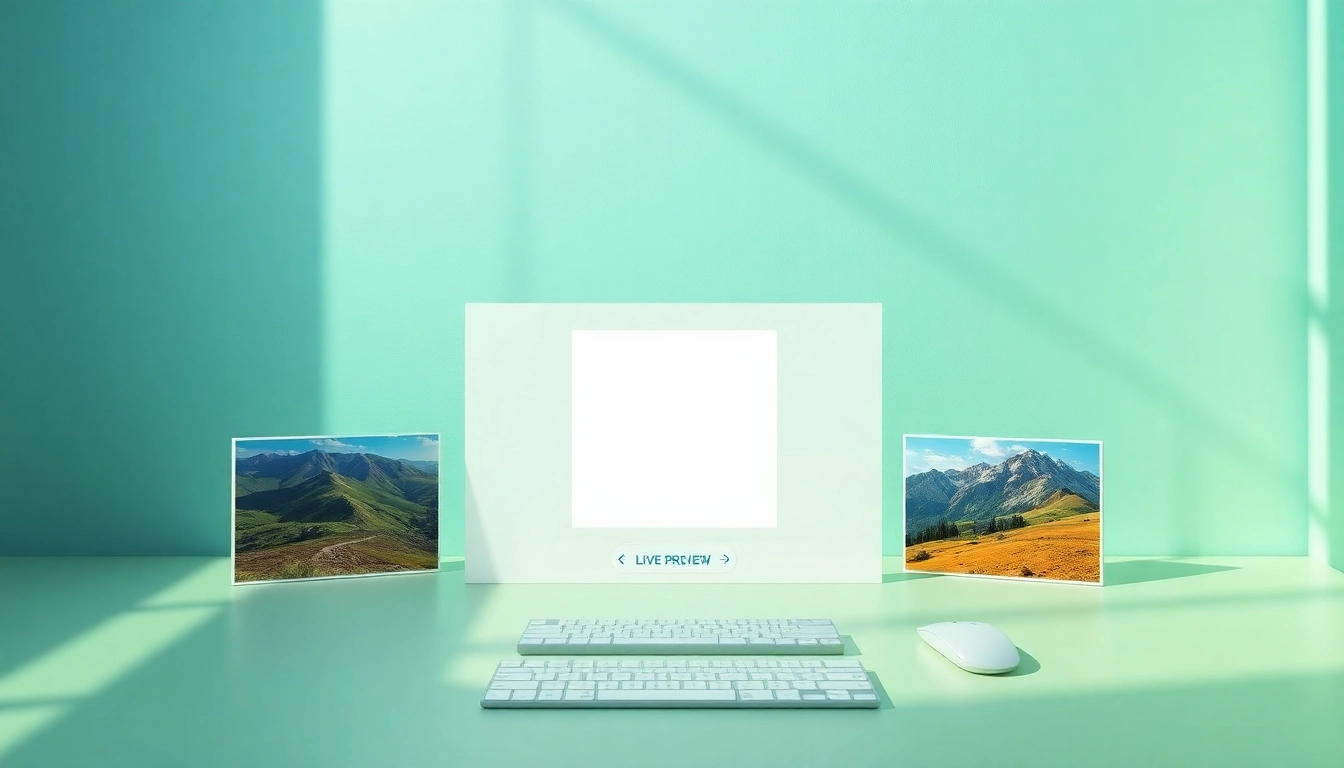
- Real-time previews: Instantly see how your adjustments affect the image.
- Multiple background options: Choose between blurred backgrounds, solid colors, or custom designs.
- High-resolution output: Ensure images maintain quality up to 10,000 pixels.
- Support for various formats: Compatibility with JPG, PNG, and WEBP formats.
- Browser-based functionality: Eliminate the need for downloads while ensuring privacy and security.
How to Make a Perfect Square Image
Creating a perfect square image should be a straightforward process. Here’s a step-by-step guide to help you navigate through the features of an image square maker, allowing you to produce results quickly and efficiently.
Step-by-Step Guide to Using Our Image Square Maker
Follow these simple steps to create your square image:
- Upload your image: Drag and drop your image file or click to upload. The tool supports various file formats including JPG, PNG, and WEBP.
- Adjust your image: Use the zoom and reposition features to fit your image perfectly within the square frame. With live previews, you can see adjustments in real-time.
- Select your method: Choose between cropping, resizing with a blurred background, or a solid color background.
- Download your image: Save your final image in high resolution, tailored to your required dimensions.
Choosing the Right Background: Blur vs. Solid Colors
The choice of background significantly influences the visual appeal of your square image. A blurred background can give a professional touch, emphasizing the main subject by softening distractions. On the other hand, solid colors can create a striking contrast, making the image pop. Consider the tone and message of your content when selecting the appropriate background type.
Adjusting Images for Social Media Platforms
Each social media platform has specific dimensions and requirements for images. For instance, Instagram posts look best at a 1:1 aspect ratio (perfect squares), while Facebook cover photos require a different orientation. When using an image square maker, ensure that you adjust the images to meet these requirements, keeping in mind factors like resolution and clarity to maintain quality across platforms.
Common Challenges and Solutions
While the process of making square images is user-friendly, there can be challenges. Understanding these potential issues can help you navigate them effectively.
Can I Make My Image Square Without Cropping?
Yes, many image square makers allow you to create square images without cropping. This is achieved by adjusting the background of the image. For instance, you can add a blurred background that complements the edge of the original image, thus preserving all visual elements while converting it into a square format.
Issues with Aspect Ratios: How to Fix Them
Aspect ratios can pose challenges when converting images. If an image is significantly wider or taller than it is long, distortion can occur if not handled properly. To address this, utilize intelligent resizing features offered by most square image makers. These tools automatically adjust the image to fit a square format while maintaining the aspect ratio of the subject.
Dealing with Image Quality After Conversion
One common concern when converting images is the potential loss of quality. To combat this, choose an image square maker that supports high-resolution outputs. Look for options that allow saving images with a resolution up to 10,000 pixels to ensure that your images appear crisp and clear, regardless of the size needed for social media or print.
Advanced Techniques for Image Square Conversion
To maximize the effectiveness of your image square maker, consider employing some advanced techniques that can enhance your editing process.
Utilizing Different File Formats (JPG, PNG, WEBP)
Understanding the benefits of different image file formats is critical. For example, JPGs are great for photographs due to their compression capabilities, while PNGs offer higher quality with transparency and better color accuracy. On the other hand, WEBP supports superior compression compared to both JPG and PNG, making it ideal for web usage. Choose the format that best suits your needs based on the platform where the image will be used.
Intelligent Resizing vs. Precision Cropping Explained
Intelligent resizing allows an image to be adjusted dynamically, preserving the important parts of a photo while fitting the square format. Precision cropping, however, involves manually selecting a portion of the image to keep, which can lead to the loss of important visual elements. Understanding the difference is crucial in choosing the right technique for your specific image and intended output.
Creating Unique Visual Elements with Custom Sizes
Custom sizing can be beneficial when creating images for specific platforms or uses. For instance, if you want to make a profile picture, a standard size is 400x400 pixels, but for a banner, a size of 1080x1080 pixels might be required. By allowing custom dimensions, you can produce unique visuals that fit your branding while maintaining the perfect square form.
Future Trends in Image Processing Tools
The tech landscape is evolving, and with it, so are the tools for image processing. Keeping up with these trends ensures that you always have access to the best resources for your creative needs.
Innovations in Browser-Based Image Editing for 2025
Future image editing tools are expected to integrate advanced AI features that automate the editing process, making it even easier to achieve professional results. AI can help in recognizing the subject of images and optimizing them for square formats automatically. This not only saves time but also minimizes effort in manual adjustments.
Predictions for Image Square Makers in Social Media
As social media continues to evolve, so will the demand for tools that cater to these platforms. Expect more innovations that facilitate seamless integration with social media channels, allowing users to upload and publish square images directly from the editing tool. Real-time filters and effects that adapt to the square format will also likely become standard features.
Emerging Technologies Enhancing User Experience
Emerging technologies such as augmented reality (AR) may change how users approach image editing. This technology could allow users to see how their images look in real-world settings before making final adjustments. Furthermore, enhanced mobile capabilities mean that image editing can become even more accessible, enabling creators to work on their square images anywhere, anytime.