Understanding the Features of Explorer GPS Smart Watch
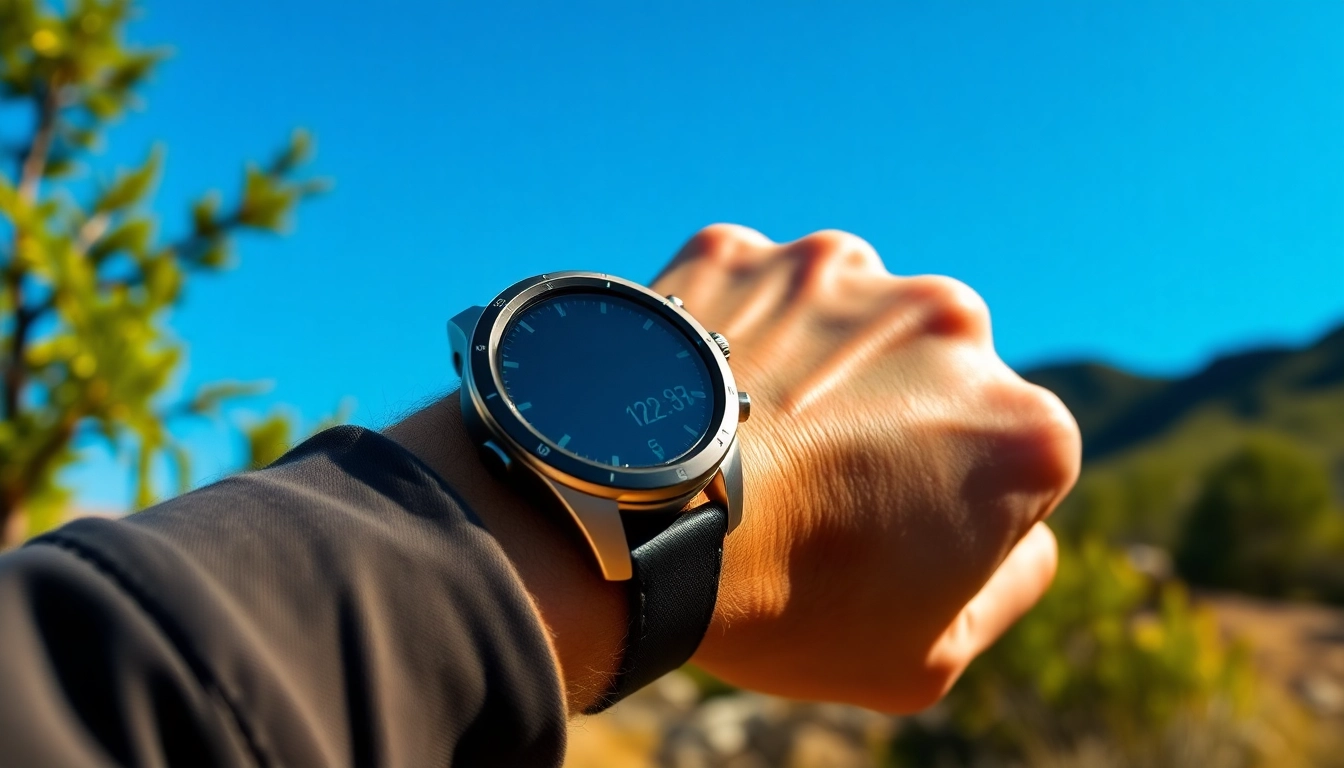
The Explorer GPS Smart Watch is designed for adventurers, fitness enthusiasts, and everyday users alike, bringing a unique combination of advanced technology to the wrist. By merging functionality with style, this smartwatch offers a range of features that enhance outdoor experiences while also promoting health and well-being.
Key Functionalities That Stand Out
One of the primary advantages of the Explorer GPS Smart Watch is its multifunctionality. It not only serves as a timepiece but also integrates a wide range of features designed to assist users in different situations. Here are some of the standout functionalities:
- GPS Navigation: Built-in GPS allows for precise mapping and tracking of your outdoor activities. Whether hiking through rugged terrains or running in urban settings, users can track their routes accurately.
- Fitness Tracking: With capabilities to monitor steps, heart rate, calories burned, and distance covered, the watch provides insights to help improve fitness levels.
- Water Resistance: Designed for outdoor use, it can withstand splashes and rain, making it suitable for various weather conditions.
- Smart Notifications: Stay connected with notifications for calls, texts, and app alerts right on your wrist, ensuring you don’t miss important updates while on the go.
- Customizable Watch Faces: Users can choose from numerous watch face designs to match their personal style or the activity they are engaged in.
How GPS Technology Enhances Your Activities
The integration of GPS technology within the Explorer GPS Smart Watch allows users to navigate outdoor environments with confidence. This technology not only aids in tracking real-time locations but also provides data that enriches the user's outdoor experience. Key benefits include:
- Route Planning: Users can pre-plan routes to avoid getting lost, ensuring that adventures are enjoyable without the stress of navigation uncertainties.
- Activity Tracking: Track your speed, distance, and elevation changes during hikes, runs, or cycling, providing valuable metrics for performance analysis.
- Safety Features: Some models include emergency SOS features or location sharing, which can be vital in situations where help is needed.
Battery Life and Performance Insights
Battery life is a critical feature for any smartwatch, especially for those involved in outdoor activities that might span long periods. The Explorer GPS Smart Watch boasts impressive battery capabilities:
- The watch can last up to 14 days in smartwatch mode, ensuring it can accompany users through extended outdoor activities without frequent recharges.
- In GPS mode, the battery life may be reduced to several hours, depending on the intensity of the activity, emphasizing the importance of planning for battery conservation during longer trips.
- Additionally, features such as power-saving modes and intelligent battery management systems help optimize performance for longer use.
Choosing the Right Explorer GPS Smart Watch for Your Needs
With various models available, selecting the appropriate Explorer GPS Smart Watch can seem daunting. Here are some factors to help guide your decision-making process:
Factors to Consider Before Buying
- Usage Purpose: Identify if you need the watch primarily for fitness tracking, navigation, or as a general smart gadget.
- Display Size and Style: Choose a display size that is easy to read and a style that fits your personal preferences.
- Durability Ratings: Consider watches that offer enhanced durability features like shock resistance and reinforced materials if you plan to use them in rough conditions.
- Budget: Set a clear budget range, as more features tend to come with higher price tags.
Comparing Models and Specifications
Comparison shopping is essential when selecting from multiple models of the Explorer GPS Smart Watch. When evaluating specifications, pay close attention to:
- Screen resolution and display quality
- Available sensors (e.g., altimeter, barometer)
- Connectivity options (Bluetooth, Wi-Fi, etc.)
- Customization features (watch faces, app compatibility)
Reading reviews and user ratings can offer additional insights into the reliability and performance of various models.
Tips for First-Time Buyers
For those purchasing their first Explorer GPS Smart Watch, here are some valuable tips to enhance your buying experience:
- Trial Runs: If possible, test the watch in-store to see if it feels comfortable and meets your expectations regarding function and style.
- Research: Utilize online resources and product videos to understand real-world usage.
- Take Advantage of Warranties: Ensure the model selected has a comprehensive warranty to protect against manufacturing defects.
- Ask for Recommendations: Connect with experienced users in outdoor communities for personal endorsements on which models best meet specific needs.
Setting Up Your Explorer GPS Smart Watch
Once you've purchased your Explorer GPS Smart Watch, the next step is setting it up correctly to enjoy all its features. Here’s how to get started:
Initial Configuration Process Explained
After unboxing your watch, follow these steps for initial setup:
- Charge the battery fully before the first use.
- Turn on the watch by pressing the power button, and follow the on-screen instructions.
- Select your preferred language and agree to the terms of service.
- Connect to a Wi-Fi network if prompted for software updates.
Connecting to Mobile Apps
To maximize the functionality of the Explorer GPS Smart Watch, it is essential to connect it to accompanying mobile applications:
- Download the appropriate app from your device’s app store.
- Create an account or log in if necessary.
- Follow the instructions within the app to pair the watch with your smartphone using Bluetooth.
- Once connected, you can sync notifications, activity data, and customize settings directly from your phone.
Customizing Your Watch Settings
Personalizing your watch settings can improve its usability. Consider these options:
- Setting Up Notifications: Customize which alerts you want to receive, including calls, messages, and app notifications.
- Configuring Activity Settings: Tailor your watch to track activities relevant to your lifestyle or sporting interests.
- Choosing Watch Faces: Select from various watch faces to suit your mood or activity level, providing both aesthetic appeal and functionality.
Maximizing the Use of Explorer GPS Smart Watch
To truly benefit from your Explorer GPS Smart Watch, adopting a proactive approach to its use is crucial. Here are ways to maximize your experience:
Best Practices for Outdoor Activities
Utilizing your Explorer GPS Smart Watch for outdoor activities requires planning. Follow best practices for an enjoyable experience:
- Plan Your Route: Use the GPS feature to chart your course in advance, ensuring safety and efficiency.
- Check Forecasts: Before heading out, confirm weather conditions to dress appropriately and pack necessary gear.
- Stay Hydrated: Monitor your physical exertion and hydration needs using the watch's metrics during prolonged activities.
Monitoring Your Health and Fitness
The Explorer GPS Smart Watch serves as a daily fitness companion, allowing users to monitor their health effectively:
- Set Fitness Goals: Utilize the app to set regular fitness milestones and track your progress over time.
- Engage in Consistent Activity: Use reminders and alerts to keep you motivated throughout the day.
- Record Health Metrics: Regularly check your heart rate, sleep patterns, and other vital metrics to maintain optimal health.
Using GPS Features for Navigation and Tracking
For navigation and tracking, maximize the capabilities of the Explorer GPS Smart Watch by:
- Using Offline Maps: Download map data when connected to Wi-Fi for use in areas without network coverage.
- Following Pre-recorded Routes: Load routes saved on your app to keep your journey on track while minimizing detours.
- Utilizing Tracking for Safety: Enable location sharing with friends or family, particularly during solitary outdoor adventures.
Frequently Asked Questions about Explorer GPS Smart Watch
What is the battery life of Explorer GPS Smart Watch?
The Explorer GPS Smart Watch typically lasts up to 14 days on a single charge, depending on usage.
Is the Explorer GPS Smart Watch water-resistant?
Yes, the Explorer GPS Smart Watch is designed to be water-resistant, making it suitable for various outdoor activities.
Can I track my fitness with the Explorer GPS Smart Watch?
Absolutely! The watch includes fitness tracking features to monitor workouts and daily activity levels.
How does GPS tracking work in this watch?
The GPS functionality allows real-time location tracking, helping you navigate and track routes accurately.
Is there a warranty for the Explorer GPS Smart Watch?
Yes, it typically comes with a manufacturer's warranty, protecting against defects and malfunctions.